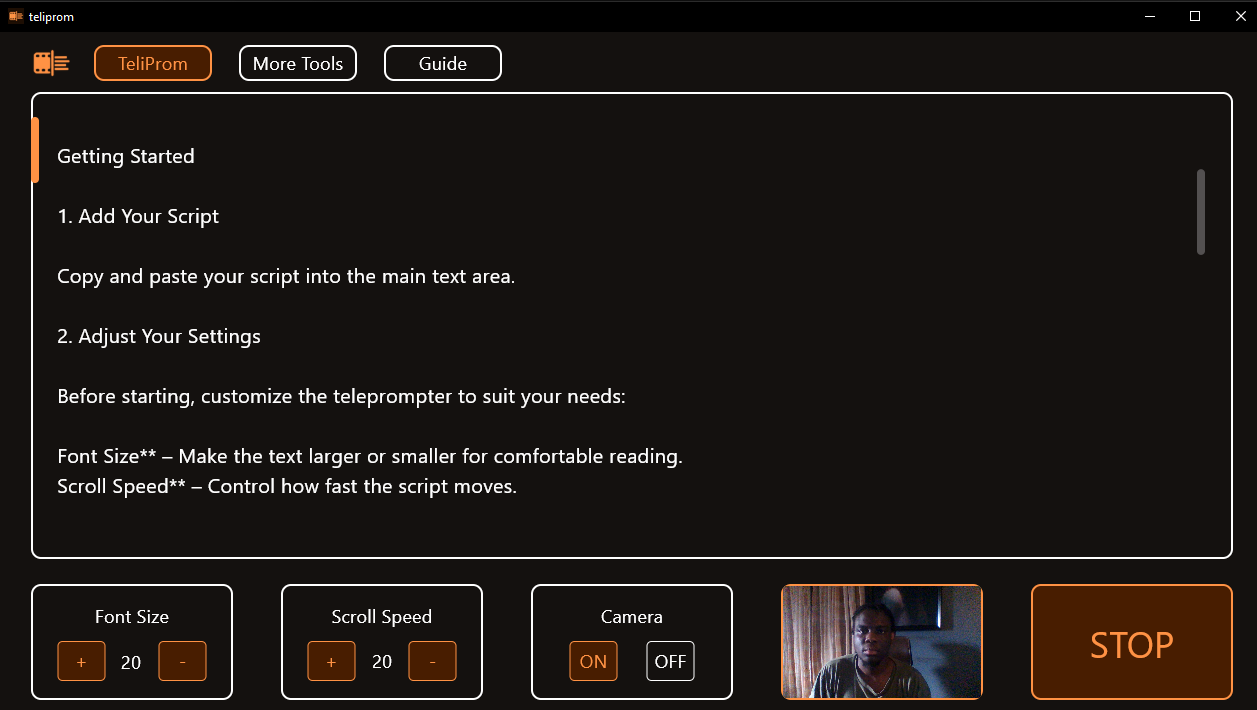

Read Scripts Naturally and Record with Confidence
TeliProm is a simple and lightweight teleprompter designed to help you deliver scripts smoothly and confidently. Whether you’re creating YouTube videos, recording presentations, practicing speeches, producing online courses, or filming social media content, TeliProm keeps your script moving at your pace so you can focus on your delivery.
Why Choose TeliProm?
- Simple and easy to use
- Smooth scrolling teleprompter experience
- Adjustable font size and scroll speed
- Optional webcam recording built in
- Works completely offline
- No subscriptions or monthly fees
- Permanent product key included
- Lightweight and runs smoothly on most PCs
- Designed for modern 64-bit Windows computers
System Requirements
Before purchasing, make sure your PC meets these requirements:
- Windows 10 or Windows 11 (64-bit only)
- Intel or AMD 64-bit processor
- At least 2 GB RAM (4 GB recommended)
- Less than 100 MB of free storage space
- Webcam required for video recording features
To check if your PC is compatible, open Settings > System > About and look for System Type. It should say 64-bit operating system.
What’s Included?
Your download comes as a ZIP folder containing:
- TeliProm_Setup.exe – The installer
- TeliProm_Product_Key.png – Your activation key
What Can TeliProm Do?
- Display scrolling scripts for presentations and recordings
- Adjust text size for comfortable reading
- Control scrolling speed to match your speaking pace
- Record video directly from your webcam
- Practice speeches and presentations without recording
- Keep your scripts and recordings private by working locally on your computer
- Help maintain better eye contact using the built-in focus guide
Built for Content Creators and Professionals
TeliProm is useful for:
- Content creators
- YouTubers
- Online educators
- Business professionals
- Public speakers
- Students
- Anyone who needs help delivering scripted content naturally
Privacy First
TeliProm works entirely on your computer. Your scripts and recordings are processed and stored locally, giving you full control over your content.
Installation Note
Since TeliProm is a new software release, Windows may display a security warning when you run the installer. This is normal.
If you see a blue warning screen:
- Click More Info
- Click Run Anyway
- Enter your product key when prompted
Thank you for supporting Studio Buwa.
Download the ZIP file, extract its contents, run the installer, and enter your product key to activate TeliProm.